
Can You Replace Synology with Open Source Projects?
Can You Replace Synology with Open — This right here is a Synology NAS. And it is not just a NAS. And really Learn more about the steps and the final checks.
This right here is a Synology NAS.
This right here is a Synology NAS. And it is not just a NAS. And really, most off-the-shelf NASA's in this day and age are no longer just NAS. It is also a photo backup tool, business backup tool, a file server, as well as doing so many other functions. Synology is not the market leader in NASA's because they have the best hardware or the best prices.
They are the market leader because they have the best operating system and applications. Today we're going over how can we fully replace out one of these guys with open-source software. And to clarify, not just any open source software, but good old Foss free open-source software stuff that is actually designed to be self-hosted.
Because a little secret here, Synology as well as everything else that runs Linux is open- source software. If you've bought a Synology NAS, you can file for them to send you all of the Synology source code. Anything that runs Linux has that requirement. That is part of why Linux is free and open source is anybody who uses it then has to give away their source code.
And so really what you're buying from
And so really what you're buying from this is the packaging. So that's actually why there's another software called Xpology which aims to give you a lot of the functionality of a Synology NAS using that source code. But I'm still not going to recommend that because it's got a lot of issues and there are easier solutions out there that we're going to be talking about today.
So, in this video, we're going to talk about what I believe are probably the most common features that people are using on a Synology NAS. There is a lot of other stuff out there that is integrated in there, but we're really going to be focusing on the things that people are buying them for. And I'll be completely honest with you, I do not have a solution for everything.
There is not an open-source solution for everything because Sonology does actually have some secret sauce in there that works really well. And as I said at the top of this video, a NAS is not network attached storage anymore. It is so much more. It is network attached storage, but plus all these other applications like photo backups, file syncing, all those kinds of things.
But we are going to also talk about DSM itself, the actual operating system that runs the core functionality of it. And then from there, we're going to go into all the most popular packages for personal and business users from Synology Drive, Surveillance Station, HyperBackup, and Active Backup for Business.
So, we're going to be going over all that in this and see what options you've got for completely replacing your Synology NAS to a fully open source product that really you can own and maintain and deploy on whatever hardware you have and never have to worry about license fees. And if you want to make a change at one of your applications, fork it and deploy it.
And so I'm going to go ahead and pull out my list and we're going to start jumping on through things. All right, I've just gone ahead powered up that NAS and we have to start with DSM. So the actual operating system of the NAS and this is where you have the choice to deploy on your own hardware for open source products. Now you can also buy something like a UG green and install any operating system you want on there.
So if you want a prepackaged thing,
So if you want a prepackaged thing, you don't have to stick to Synology. You can stick to other providers. But one of the joys of open source software, at least operating systems, is you can run them on pretty much whatever hardware you want as long as they're x86 or the software you're looking at is compatible with ARM. And DSM's probably best open source competitor is going to be TRNA scale.
Trunass scale is phenomenal. It is based off of ZFS. It scales out beautifully and it is truly truly truly enterprise. So while DSM I do think is much more userfriendly, it's a lot easier to navigate and a lot easier to really kind of add users, set permissions and create new things, truness has pretty much all that exact same functionality. You can set up your exact same scrub tasks. You can set up everything.
You can get your email notifications. You can do all of these things. And it's where you manage your storage pools. It's where you manage your users. It is where you manage your networking. So this is where I would say all of the true NAS functionality lives. The process of creating SMB shares, NFS shares, ICE scuzzy blocks, all those things happen here. And Trunass is going to be that open- source option.
There is some drama in the open source community because Trunass is moving away from a strictly open source license. It's not really going to affect you too much. There's a lot of open source drama, but it is very much in the spirit of open- source software and it's great. Now, I will say a couple of cons here. Trunass will let you shoot yourself in the foot where Synology would not.
You can actually restore a snapshot to the wrong location and accidentally blow away all your stuff. It's kind of how ZFS is, just with the way the rollbacks work, unfortunately. I have had a clients who have called me up because they borked their True NAS systems. I've had a lot of Sonology users do that, but it tends to be a lot easier on Trunass.
One other thing you do lose out
One other thing you do lose out on is you do lose out on the ability to see where your storage drives are. So in DSM, if you've got a failing drive, you can literally look at exactly which drive slot it's in. It's because Synology is selling you the hardware as well. But on TRNAS, you do not have that ability because you're putting on whatever hardware you want to put on.
Trunass Enterprise does have that capability, but that is quite expensive. Another thing I do find that's a little bit lacking is the reporting. You just don't get as good metrics out of this. It's a little bit harder to view everything. I do like Synology's resource manager quite a bit better. It makes it a lot simpler to realize and see everything going on. It's all in one place.
But if you are looking for a simpler deployment than Truness has, you can also look at something like Open Media Vault that's very popular. I ran that for years and it's really powerful and is much much simpler. But if you are kind of an advanced user and you're building on your own hardware, truness is probably the de facto standard.
And quite honestly, it's probably one of the best feature for feature competitors to DSM with the asterisk that DSM is fundamentally going to be more userfriendly. All right, now let's go into probably what's the most deployed application, and that's going to be Synology Drive. And I'm also going to lump Synology Office in here.
Synology Drive and Synology Office are essentially using your NAS storage to become a Google Drive. They offer the ability to share out files publicly. They offer the ability to create Google Doc equivalents, Synology Docs, and they also have the ability to sync down to local files. So you can install Synology Drive on your Mac, Windows, or Linux machine and sync your files down.
And both Mac and Windows have an
And both Mac and Windows have an ability for what's called an ondemand sync. That allows you to see all the files, but not necessarily have all of them take up space on your computer. Then when you double click to open them, they are downloaded on demand. And by far the biggest competitor to that is going to be what's called NexCloud.
So, Nestcloud is a fully open-source solution that allows you to totally deploy out exactly what Synology Drive does. They have the ability to create these documents and they are written in Markdown, sunk across all of your devices, and they have the exact same functionalities. They allow you to sync down to Mac OS and Windows with on demand syncs, which is absolutely great.
And they also allow you to collaborate with other people, share externally, and I will say Nexcloud has a very expansive ecosystem here. It's not just Nexcloud itself, but there's a bunch of other applications. There's Nexcloud talk, calendar, so many other things that are much better flushed out in my opinion than the Synology kind of calendar equivalent. It is not perfect.
It is a bit slow and it is a bit buggy and you will find people complaining about that. And quite honestly, that's why I've still not switched to it as our primary office file server. And one other thing that does happen is you don't get the ability to really synchronize between your file system.
One thing that's nice about Synology Drive is if you modify a file via SMB, that is immediately reflected in Synology Drive. Because Nexcloud is really its own instance. If you were to modify that on your TRNA server, you have to run a synced for NexCloud to realize that that has changed because it's not running a full operating system. There's ways around it, but that is just another nuance.
But overall, especially if you're looking at
But overall, especially if you're looking at that Synology Drive, Synology Office competitor, this guy is great. I will circle back to this theme at the end of this video, but one con with this is with DSM, everything integrates with the same user accounts.
So you create a user account in DSM, the permissions are reflected in Synology Drive, the users are reflected in Synology Drive, it's all the same users across all of your software. But if you try to do the exact same thing on TRNAS and NextCloud, your TRNA users are not going to show up in NexCloud. Their permissions are not going to sync. And it really depends on what you're trying to deploy.
If you can live all in Nexcloud, no issues there because it's got all these applications, but it is not the full integration that DSM has because they're all DSM apps. Then trying to use something like LDAP to actually have the same user counts across everything. You run into a hiccup where Trass doesn't really support LDAP via SMB maps anymore.
So you have to use Active Directory, which is about as close source as possible because now you're on Windows. So that's just one thing I will bring up as a theme as a kind of Synology Drive office replacement. It can work quite well and it does have much more extended functionality and the ability to grow out and have really powerful servers here and it's genuinely an application that enterprises use.
It also does have a photo section
It also does have a photo section that actually works pretty well, but I will say there's a much better option out there called image. And so that leads us into what is probably the second most deployed application and this one's very much for personal users and that is Synology Photos. Synology Photos does a few things really well and that is it's got a really great mobile backup.
It's got solid sharing, decent AI, but overall a really great setup for photos. My family has used Synology Photos for about 5 years now where everybody's access is the exact same shared space. I got my grandmother's photos loaded in there. So, we truly have my entire family's history in there and genuinely people use it.
I've got my family where they know to open up the Synology Photos app and can search for faces and find people from that shared space and I think it works very well. Synology photos a lot on this channel and image is pretty darn close to that. Image has a lot of great functionality and it is really growing and deploying and it also has a mobile application for backup.
So you can install Image and have everybody's phones back up to it and it can work really well. I've covered Image before on this channel and it has really great functionality. It is honestly a lot faster than Sonology Photos and it's got some really great things you can do in here and I think it's really userfriendly. You also don't run into those HIC limitations that you get with Synology.
So, image definitely is one of those
So, image definitely is one of those applications that truly can take on Synology Photos. Albeit you do lose that integration between Synology Photos and Synology Drive with that because image is its own thing. It's got its own users and it stores its photos in its own place. With Synology, it's stuck in the home folder so everybody can just see it and you really get that cross app cohesion.
though, if you're not going all in on the photo side, Nestcloud Photos will do pretty much what you expect it to. All right, so those are our first three. DSM, Synology Drive, and Synology Photos all actually have pretty solid competitors.
They are going to be harder to
They are going to be harder to set up and you don't get the cohesion of it all being in one ecosystem like you do with Synology, but you can truly get a very effective option for those three core pieces. Now, we're going to go over the stuff that's quite frankly a bit harder and especially the stuff that's more business focused.
And the first one is going to be Active Backup for Business, Active Back for MS365, Active Backup for Google, Active Backup for whatever they've got right now. And in this day and age, Active Backup for Business is still completely license free. And there is no competitor to it. There's not a competitor to any of these options I'm listing out that are open source.
And this is one of those things that is a huge selling point to businesses. Active Backup for Business gives you the ability to back up Windows servers, Windows computers, Mac OS computers, and Linux servers, all completely open- source, all with bare metal restore options to a Synology with global file dduplication, all without a license fee. I have tried and never found another software out there that will do that.
A bare metal backup is very specific. It is one that allows you to actually rebuild the drive exactly as it was. This is really the place where quite frankly there's not another option out there that is open source.
Active Backup for Business by itself is actually a reason I deploy a lot of NASA's businesses who are using pure cloud storage because you have the ability to buy a single box, back up everybody's computers, all of your servers, and your cloud environments directly to it and have it be a fixed cost thing. Install it, never pay for it again, and be off to the races.
You can also back up MS365 and

You can also back up MS365 and Google Workspace with this and it works really well and it's got a lot of great restore options. And this is where I have zero options and I've never found anybody who has another option for active backup for business. If you find one that actually does that bare metal backup would love to know it, but quite frankly I've just never found them.
If you're a Mac OS shop, Time Machine will do this great, but you just don't have that ability to do servers or MS365/Google Workspace. So, that's Active Back for Business. Next up is actually one that actually has the best competitor because it's just based off open source software directly, but it's still not as easy as that sounds, and that is CloudSync. So, Synology's Cloud Sync is awesome.
It allows you to sync to most cloud options and do either a download only, upload only, or a two-way sync to so many different options. See it all in one place, setup schedule, setup priority, and just have everything run. It's a great way for backing up your company's Dropbox because it allows you to have everything stored there locally, or it's a great way of sending your data to the cloud and vice versa.
It works really well and it's quite simple to set up and use and in a lot of cases just works. Its open source competitor is not really a competitor because it's actually what Cloud Sync's based off and that's Arclone. So there's software out there called Arclone. Arclone is actually what Cloudsync is running in the background and it is this open source project that allows you to sync to just about everything.
It actually has a much larger amount of options than Synology Drive does, but not all of them still work. But there is a massive list of all the different clouds that you can sync to and from. And there's so many options. You can just see right here all of the different things that Arclone can sync to and from. But I have run into certain things that no longer work.
Icloud drive, sometimes it'll work, sometimes it
iCloud Drive, sometimes it'll work, sometimes it will not. Apple and Arclone keep going back and forth on it. And so a lot of times not all of these things will work. But this is actually what Synology is using in the background to do all of these things. The only problem with it is Arclone is command line driven for the most part.
There is a new Arclone web UI which will help a lot and actually runs its own web server, but I don't find it to be as userfriendly or as clean as Cloud Syncs is. But using Arclone allows you to open up to a lot of storage systems that Synology has not added in. Albeit you may have to do it at your own risk and run into some other issues. As long as you're comfortable kind of setting these things up on your own.
If cloudsync can do it, our clone
If cloudsync can do it, our clone can do it and more. The only thing you got to do is just be familiar with all the commands. I actually use this tool all the time. It is an option for backing stuff up as well. Next up, we have Surveillance Station.
And this is actually an interesting one for me because I actually don't recommend Surveillance Station anymore to most people unless you truly just have like one camera because in a lot of ways UniFi just does it better. So surveillance station is a way of recording a bunch of security cameras to your Synology NAS. And for a while it was actually great. There weren't a lot of competitors to it.
But now UniFi has kind of taken a lot of their market away. I rarely ever do a knowledge of surveillance deployments. But UniFi itself also is not open source in the way that we're talking about here. There are open source options out there for it. Motion Eye is probably the best known and I will say it's a little bit harder to use.
I've talked to some people who have spent a lot of time doing it and there's a ton you can do with it, but it can also sync up a lot of your time. If you're looking for something that's just set and forget, Motion Eye will work. You just don't need to go down some of the more complex features and you do have more trouble with things like notifications and camera compatibilities and all those other things.
But in all honesty, Surveillance Station, it's probably not the best option out there anyway. But in a lot of ways, I don't really recommend having your NAS be your NVR unless it's just a few cameras because the performance characteristics are so different. Your NAS spending all the time writing will affect your the rest of your pool performance in a way that you probably just don't want.
And having dedicated applications or dedicated boxes
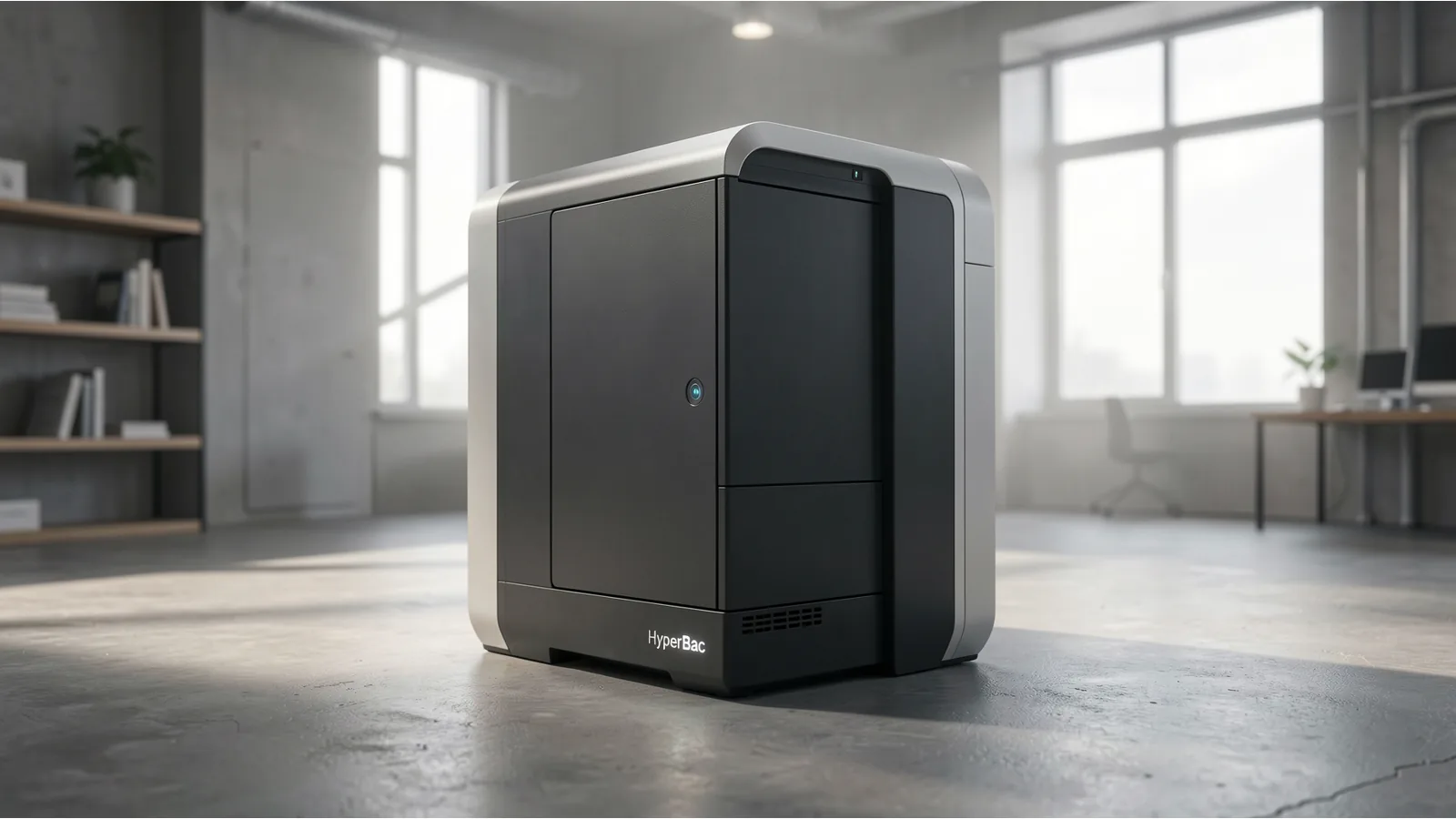
And having dedicated applications or dedicated boxes makes the most amount of sense for larger deployments. Now, the last thing on our list is something that I have a lot of answers for, and I don't quite know if any one of them will truly work, and that is Hyper Backup. HyperBackup is actually sneakily one of Syny's best applications because of how simple it is and how much it really does in the background.
So, HyperBackup is a way to back up your NAS to just about anything. You can back it up to Synology's cloud services, another NAS, a local folder or USB drive, Dropbox, Google Drive, S3 bucket, another server with rsync or webdave. Really a lot of different ways and places you can back these things on up and S3 which means you can build your own S3 storage server with minio and back up this.
And it's great because not only does it do the folders, but it also will do all the packages we've talked about. And so that's one of those things where having that all in one ecosystem really helps Synology with this because quite frankly backing something up is not that hard. But backing up 12 different applications and all making sure they're restorable and are actually consistent is another.
So one thing that's really important to do is if you've got an excloud application, well you can't just back up the files because there's an entire database there.
And when you're backing up a database, you need to make sure that you're doing a database dump because if you just back up the file system of a database and you go to restore it, there's a decent chance that your database gets corrupt because it didn't flush all the changes to disk while the backup is running. There's a lot of things like that that HyperBackup just takes care of for you.
So that's one really hard thing about
So that's one really hard thing about saying that there's a competitor to Hyper Backup because it's not really just for Hyper Backup. You've got to look at every single one of your other applications. I run a lot of open source applications and I do hourly dumps of my Postgress databases and my Maria DB databases. I then compress them and do a lot of things. But that's not all in one tooling.
I had to go in and set each of those up. And to do a restore, I would have to make sure that I'm matching the file system to the actual database dump time, which HyperBackup does do for you. One other thing that hyperbackup does that a lot of things like arsync will not do is when hyperbackup starts to run it actually snapshots at least on btrfs systems it actually takes a snapshot.
So that means that it's backing up a consistent file system. So why is this so important? Let's say you're working on your NAS and the backup starts and you change a bunch of files around.
Well, if you're using something like arsync,
Well, if you're using something like arsync, arsync will go through each of the files one by one and synchronize them over, but those files might have changed halfway through the backup and so you're not backing up a consistent state. When you're using hyper backup, it sends over the files exactly as they were when the backup started, meaning that you get a consistent state.
if you're using something like a snapshot replication available on truness that works great but it is something to make sure you're doing if you are going to be backing up a active file server because you want to make sure that you are backing up a consistent state. You don't want partial progress happening in your backup because your backup may be corrupted.
Really the competitors to hyper backup are all the backup applications out there. There is a replication that works great in anything ZFS or BTRFS. RSync works great and can fire over just about anything you want, but I would say that it's really important to know exactly what you need to be backing up. Anytime you're looking at something with a database, look at Postgress dump also Maria DB dump or MySQL dump.
All of those things will actually take your database and dump it in a file format. And all of those also have options to do the database in a consistent manner.
So really when you're looking at backing

So really when you're looking at backing up each of these systems, you need to understand exactly what the applications need, not necessarily just backing up the files because while having the files is very important, having the application database is just as important in a lot of cases. So that's the end of my list.
In a lot of ways, in this day and age, there's a lot of great open source software out there that really can run businesses on very powerful hardware. And especially for home users who are fine tinkering and don't have a massive amount of users, a lot of this stuff is really in reach.
The biggest thing is it is going to be more of a time sync and that is a phenomenal learning opportunity and it's a great way of managing stuff but it comes down to how much time you want to spend doing it and how important it is to you.
I do think in this day and age for everything except for active backup for business, you can truly replace a Synology with your own hardware and have completely open source software, but it might just take some time. For users where active back for business is the reason they have a Synology, there's still no open- source alternatives to that that I'm aware of. All right, well that's going to be it for this.
If you have any other questions, put those down in the comments below. You know, hire me. There's a link for that down description below. And have a good one. Bye. >> [music] >> Oh, hey.
